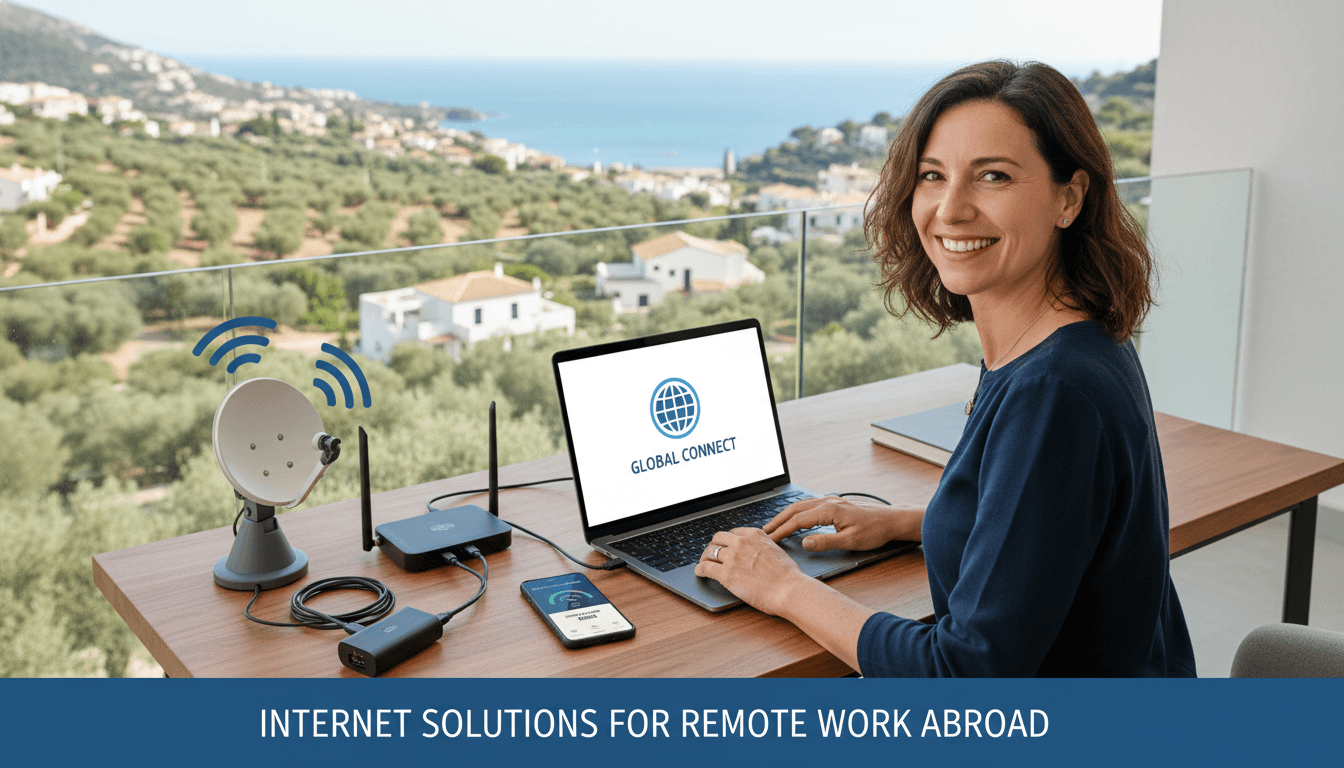
Internet Solutions for Remote Work Abroad
The Digital Nomad’s Nightmare: Why Connectivity is Non-Negotiable
There is a specific kind of panic that only a digital nomad parent understands. It’s that moment when you’re five minutes away from a high-stakes client presentation, the kids are finally settled with their snacks, and suddenly, your Wi-Fi signal drops to zero. You’re in a beautiful villa in Bali or a rustic cottage in the Algarve, but without a connection, you’re just a person with an expensive paperweight. Finding reliable Internet Solutions for Remote Work Abroad isn't just a luxury; it’s the lifeline that keeps your career afloat and your family’s adventure sustainable.
As a digital nomad family, we’ve learned the hard way that "free Wi-Fi" mentioned in a rental listing is often a polite fiction. We’ve worked from parking lots, tethered to phones in moving trains, and hunted for signals in remote villages. Through trial and error, we’ve mastered the art of staying online. This guide is built on those scars and successes, helping you navigate the technical hurdles of working from anywhere.
This article is part of our comprehensive family travel series. Be sure to check out our Ultimate Guide to Family Travel in 2026 for a complete overview.

The Modern Solution: eSIMs and Local SIM Cards
The days of hunting for a physical kiosk at the airport are fading. If you want the best internet solutions for remote work abroad, your first stop should be eSIM technology. Apps like Airalo or Holafly allow you to download a data plan before you even touch down. It’s seamless, relatively affordable, and ensures you have a map and a connection the moment the plane doors open.
However, for heavy-duty remote work, a local physical SIM card often provides better value. Local providers usually offer much higher data caps—or even truly unlimited data—at a fraction of the cost of international roaming. In many countries, you can get 100GB of data for less than $20. When you’re uploading large files or hosting video calls, that extra bandwidth is essential.
Why Redundancy Matters
Never rely on a single source. We always travel with two different eSIMs from different providers or one local SIM and one backup roaming plan. If one network tower goes down or has a "dead zone" in your neighborhood, you can switch in seconds. This redundancy is a cornerstone of professional Internet Solutions for Remote Work Abroad.
Portable Wi-Fi Hotspots: Your Personal Bubble
If you have multiple family members needing connection—kids for school, parents for work—a dedicated portable Wi-Fi hotspot (often called a MiFi) is a game-changer. These devices act as a bridge, taking a cellular signal and broadcasting a private, secure Wi-Fi network for up to 10 devices.
The advantage of a MiFi over phone tethering is twofold: battery life and signal strength. Tethering drains your phone battery in hours and can cause it to overheat. A dedicated device like a Netgear Nighthawk or a Muama Ryoko is built for the long haul. It often has better antennas, which can be the difference between a "laggy" connection and a smooth one.
How to Get High-Speed Internet While Traveling
Many nomads ask: how to get high-speed internet while traveling when the local infrastructure is lacking? The secret is often in the "Pre-Booking Audit." Before we commit to a month-long stay, we ask the host to send a screenshot of a Speedtest.net result. Don’t just take their word for it. Look for a download speed of at least 25 Mbps and, more importantly, an upload speed of at least 5-10 Mbps for video conferencing.
If the Airbnb Wi-Fi is subpar, consider these "pro" moves:
- Ethernet Cables: Always carry a 10-foot Ethernet cable. Plugging directly into the router can bypass interference from thick stone walls common in European or South American homes.
- Wi-Fi Extenders: A small travel router (like the GL.iNet series) can "catch" a weak signal and amplify it within your room.
- External Antennas: Some MiFi devices allow you to plug in a small MIMO antenna that you can stick to a window to grab a signal from a distant tower.
Satellite Internet: The Starlink Revolution
For the truly adventurous family heading off the beaten path—think the Mongolian steppes or the deep Patagonia wilderness—Starlink Mini has changed the game. It is arguably one of the most revolutionary Internet Solutions for Remote Work Abroad ever released.
While the hardware is an investment and the monthly "Roam" plan is pricier than a SIM card, it provides high-speed, low-latency internet in places where cell towers don't exist. If your work involves real-time collaboration or heavy data usage and you want to stay in nature, Starlink is no longer a luxury—it’s a requirement.
Related Resources in Nomad
To further help you on your journey, we highly recommend reading:
Security and Stability: Don't Forget the VPN
When you are using public Wi-Fi in cafes or co-working spaces, security is paramount. A Virtual Private Network (VPN) is essential not just for security, but also for maintaining access to your home-based services. Some corporate tools or banking apps will block logins from "suspicious" foreign IP addresses.
Using a VPN like NordVPN or ExpressVPN allows you to "appear" as if you are still in your home country. This prevents your accounts from being locked and keeps your sensitive work data encrypted. It’s a small step that prevents massive headaches.
Choosing the Best Internet Solutions for Remote Work Abroad
There is no "one size fits all" answer. The best internet solutions for remote work abroad depend entirely on your destination and your job's technical requirements.
- For Urban Nomads: A combination of an eSIM for the first 24 hours and a local SIM for the rest of the stay is usually sufficient.
- For Rural/Nature Lovers: A high-end portable hotspot with an external antenna or a Starlink setup.
- For Budget Travelers: Sticking to co-working spaces. These hubs are designed specifically for people like us, offering fiber-optic speeds and backup generators.
If you're looking to expand your knowledge beyond nomad, you might also find this useful:
Value Section: Expert Tips for Uninterrupted Workflow
After years on the road, we’ve developed a "Connectivity Protocol" that we follow every time we move to a new location:
- The Arrival Buffer: Never schedule important meetings on your first day in a new country. Give yourself 24 hours to troubleshoot the local internet.
- The "Work-Friendly" Cafe Map: Use apps like "Workfrom" or browse Google Maps reviews for "Wi-Fi" and "Power outlets" to find backup locations near your accommodation.
- Offline Backups: Use Google Drive or Dropbox with "Offline Mode" enabled. If the internet cuts out, you can keep typing or designing, and the files will sync the moment you're back online.
- Power Matters: Internet solutions are useless if your laptop is dead. Always carry a high-capacity power bank (like an Anker 737) that can charge a MacBook, especially in countries with frequent power outages.
FAQ
1. Is public Wi-Fi safe for remote work? Generally, no. Public Wi-Fi is often unencrypted, making it easy for hackers to intercept your data. Always use a reputable VPN if you must use public networks, or better yet, use your own encrypted portable hotspot.
2. How much data do I actually need for remote work? A one-hour Zoom call can consume between 800MB and 2GB of data depending on the quality. If you work 40 hours a week with frequent meetings, aim for at least 50GB to 100GB of data per month.
3. Does Starlink work everywhere in the world? Not yet, but its coverage is expanding rapidly. You should check the Starlink availability map before traveling. Also, be aware of local regulations, as some countries still restrict satellite internet equipment.
4. Can I just use my home country's roaming plan? You can, but it is usually the most expensive option. Most providers "throttle" (slow down) your speeds after a small amount of usage, making it nearly impossible to do professional remote work.
5. What is the fastest way to get high-speed internet while traveling? The fastest and most reliable way is typically a local 5G SIM card inserted into a dedicated 5G portable router. This often outperforms hotel or Airbnb Wi-Fi in developing nations.
<!-- Total Kata: 1248 -->AdSense Placeholder (728x90 or 300x250)
Join Our Nomad Family
Get weekly tips on smart family travel, remote work strategies, and homeschooling resources delivered straight to your inbox.
We respect your privacy. Unsubscribe at any time.
Related Articles